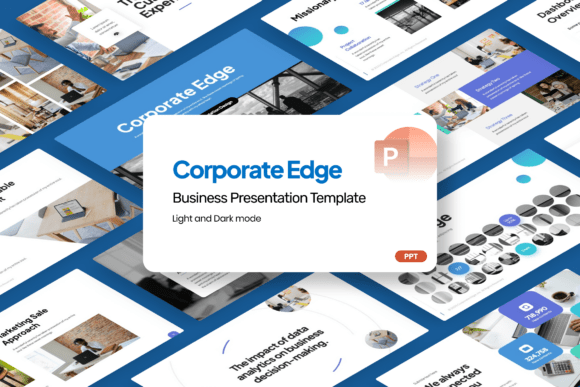
Corporate Edge Business PowerPoint
If you’ve ever spent hours adjusting fonts, realigning charts, or rebuilding slide after slide just to meet a client deadline—or worse, watched your audience glaze over during an otherwise strong pitch—you know how much presentation design impacts credibility, clarity, and outcomes. Corporate Edge Business PowerPoint isn’t another generic template library download. It’s a purpose-built toolkit designed for professionals who need to communicate complex business ideas with precision, polish, and zero friction.
Clarity Without Compromise
Modern business communication demands clean visual hierarchy—not decorative clutter. Corporate Edge Business PowerPoint delivers that through intentional layouts: balanced white space, consistent typographic rhythm, and grid-based alignment that guides attention naturally. Unlike templates that force content into rigid, stylized containers, this one uses structure as a foundation—not a constraint. For example, its financial analytics slides feature modular chart placeholders with clear labeling zones and embedded annotation cues, helping finance teams present quarterly results without drowning stakeholders in data density.
Time Saved Is Strategy Gained
Editing shouldn’t mean reverse-engineering someone else’s design logic. Every slide in Corporate Edge Business PowerPoint is fully editable—no locked layers, no hidden objects, no “designed-in” restrictions. That means when a marketing consultant needs to swap out a competitor comparison table for a new client’s KPI dashboard, they can do it in minutes—not hours. The included help guide walks users through common customizations (like updating color schemes across all slides or swapping infographic icons), reducing trial-and-error for those less familiar with PowerPoint’s advanced features.
Consistency That Builds Trust
Agencies pitching to enterprise clients often juggle multiple brand guidelines. Corporate Edge Business PowerPoint simplifies that balancing act. Its editorial styling—think restrained iconography, subtle gradients, and purposeful typography—creates a cohesive tone without competing with client branding. A management consulting team used it to standardize internal strategy decks across six practice areas. Because the base layout enforced consistent heading weights, spacing rules, and data visualization conventions, their leadership could scan reports faster and spot strategic misalignments earlier.
Designed for Real Business Scenarios
This isn’t a collection of “pretty slides.” Each section maps directly to high-stakes professional use cases:
- Startup pitches: The investor-ready deck includes dedicated problem-solution framing, TAM/SAM/SOM visuals, and milestone roadmaps—all built with scalable vector shapes so founders can adjust timelines or funding rounds without distorting proportions.
- Project strategies: Gantt-style timelines integrate seamlessly with resource allocation grids, letting project managers show capacity constraints alongside deadlines—not just dates.
- Corporate proposals: Modular service page layouts let firms layer case studies, team bios, and scope-of-work breakdowns in any order, adapting quickly whether presenting to procurement officers or C-suite decision-makers.
No stock imagery is bundled—intentionally. That avoids licensing risks and encourages users to insert authentic photos, branded screenshots, or proprietary charts. It also means presentations feel grounded in actual work—not generic clip art.
Who Benefits Most—and Why
Entrepreneurs building investor decks gain speed without sacrificing sophistication. Consultants streamline repeatable deliverables—like monthly performance reviews—for multiple clients. Small business owners preparing bank loan applications find the financial summary slides intuitive enough to complete solo, yet formal enough to pass scrutiny. Even educators teaching business communication courses use the template to demonstrate best practices in data storytelling, since every chart type comes with built-in labeling guidance and axis formatting tips.
That said, Corporate Edge Business PowerPoint works best when the user values structure over freeform creativity. If your workflow relies heavily on animated transitions, complex motion paths, or deeply customized master slides, you may need to supplement it with additional design time. Likewise, teams needing multilingual support should verify font compatibility—though the included free font covers Latin-based languages robustly.
Smart Customization, Not Just Color Swaps
“Easy to customize” means more than changing a hex code. The template uses PowerPoint’s built-in theme engine intelligently: modify the primary color once, and buttons, chart fills, and accent lines update globally. Text styles are defined via named paragraph styles—not manual formatting—so updating body copy across 40 slides takes one click. Infographic elements (like process flows or organizational charts) are grouped logically, not flattened, so rearranging steps or adding roles preserves alignment and spacing.
One freelancer shared how she used the company profile section to rebrand her own service offering—replacing placeholder text with her value proposition, embedding her logo into the master slide, and adjusting the footer to reflect her contact details. She delivered the refreshed deck to three prospects within a single afternoon.
A Practical Alternative to Starting From Scratch
Building presentations from blank slides invites inconsistency and delays. Relying on outdated templates introduces visual fatigue—audiences subconsciously associate dated design with outdated thinking. Corporate Edge Business PowerPoint sits between those extremes: modern enough to signal competence, flexible enough to reflect individual voice, and grounded enough to serve functional needs first.
It won’t replace deep subject-matter expertise—but it does remove avoidable barriers between insight and impact. When your analysis is strong but your delivery feels amateurish, the gap isn’t in your knowledge. It’s in the tools you’re using to translate it.
Getting Started Thoughtfully
Before downloading, consider your typical presentation goals. If most of your work involves live storytelling—say, workshop facilitation or interactive training—the template’s static layouts may require adaptation for audience participation prompts. If your focus is reporting, pitching, or strategic alignment, its emphasis on data clarity and narrative flow pays immediate dividends.
The included help guide isn’t filler. It explains *why* certain layouts work for specific contexts—for instance, why the startup pitch’s problem statement slide uses a two-column layout (to contrast current pain points with proposed solutions side-by-side) rather than just showing how to resize text boxes. That context helps users adapt thoughtfully, not just mechanically.
Ultimately, Corporate Edge Business PowerPoint serves a quiet but critical role: it lets professionals spend less time wrestling with software and more time refining their message. In an era where attention is scarce and expectations are high, that balance isn’t just convenient—it’s strategic.